
Home » Branding Guides »
Background
The Fire & Smoke website was developed for the Twin Valley Fire Department’s annual barbecue competition, a public event held at the Classic Auto Mall. The competition follows the Kansas City Barbecue Society format and attracts both competitors and community attendees.
The fire department needed a website on a tight turnaround after their previous web designer was unable to complete the project. In addition to creating a central online presence, they were also looking to simplify event management and reduce reliance on manual, paper-based registration processes.
Opportunity
This project presented an opportunity to quickly step in, establish a cohesive digital presence, and bring structure to a previously fragmented system. Beyond just launching a website, the goal was to create a centralized hub that could support event growth, streamline registrations, and provide a consistent experience for both organizers and participants.
It also opened the door to define foundational branding elements for the event, including a logo and visual identity, which had not been formally established before.
Logo & Identity
In all cases of using the logo, an existing logo image must be utilized so variant logos do not come to exist. The standard logo is to always appear with the variations shown on the right.
If the background color is dark and makes reading the standard logo difficult, a white logo as shown below may be used. When possible, the white logo should be placed over top of a branding color.


Primary Palette
#FDF6ED
(253, 246, 237)
#E18C5D
(225, 140, 93)
#D04724
(208, 71, 36)
#000000
(0,0,0)
Imagery
We pulled from past event photography to help shape the visual direction of this branding guide and ultimately the Fire & Smoke event website.
- Branded Graphics. Any customized images that can stand alone outside of the website itself, like blog post covers or infographics, should:
- match the primary or secondary color palettes
- use heading and body fonts that match the established website fonts
- visibly display an established variation of the logo on the image
- Icons. Icon colors should match the established primary or secondary color palettes as shown below. When possible, use icons from the Font Awesome icon pack.
- Stock Images. Stock images are acceptable but should be modified or personalized to match the established branding and color palettes.
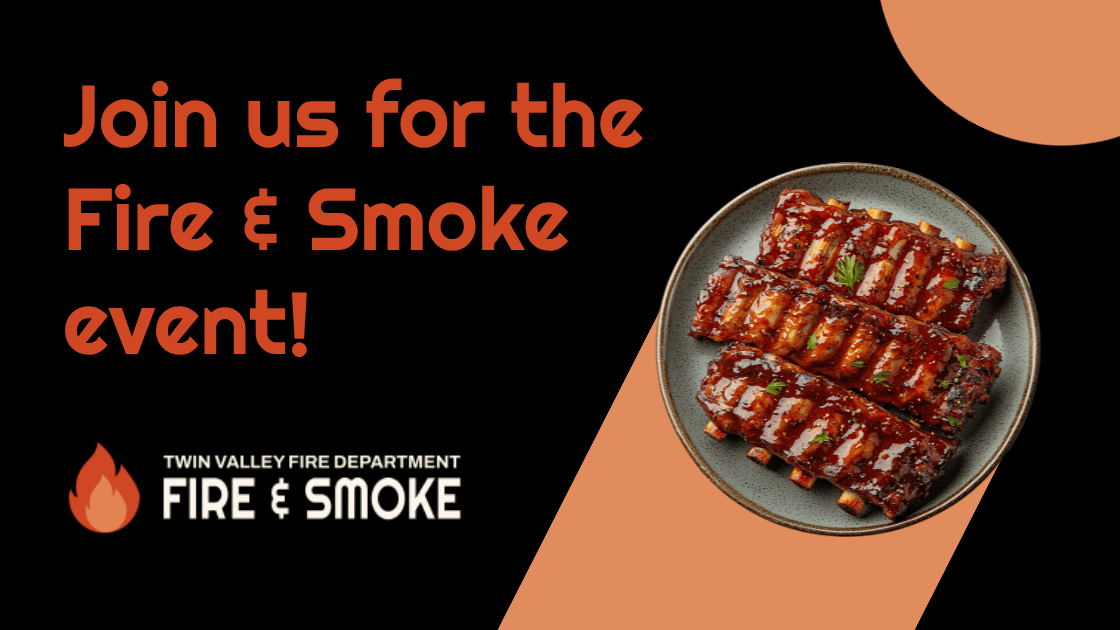
Image Overlays. When applying an image overlay that utilize colors besides black and white, the color should align with the established branding palette as shown.
Shadows. When applying a shadow isn’t black, white, or gray, the shadow color should align with the established branding palette, as shown on the banner above.
Typography
Graphics and Images Font. When graphics and images are created with complementary text, the heading and body fonts should match the established website fonts.
Logo Fonts.
- Primary: Righteous
- Secondary: Archivo
Website Fonts.
- Heading: Righteous
- Body: Archivo
What Else Branding Guides Include
Branding guides go far beyond basic logo usage, colors, and typography. Those pieces are important, but a well-developed branding guide also helps shape the full visual system of a business.
That can include standards for imagery, icon choices, graphic styling, overlays, shadows, and other supporting design elements. It can also provide direction for how branded materials should look across web pages, social graphics, print pieces, and other marketing assets. The goal is to create consistency so that no matter where someone encounters the brand, it feels recognizable, intentional, and professionally put together.
In that sense, a branding guide is not just a design reference. It is a tool that helps a company present itself more clearly and consistently across everything it creates.
Contact Wes Web for Website Design and Branding Services
Need a branding guide for your business or looking to get a website redesign with your current branding? Wes Web provides web design and digital marketing services for a variety of businesses. Let us create or transform your branding guide!